See It in Action
A clean, focused interface that stays out of your way.
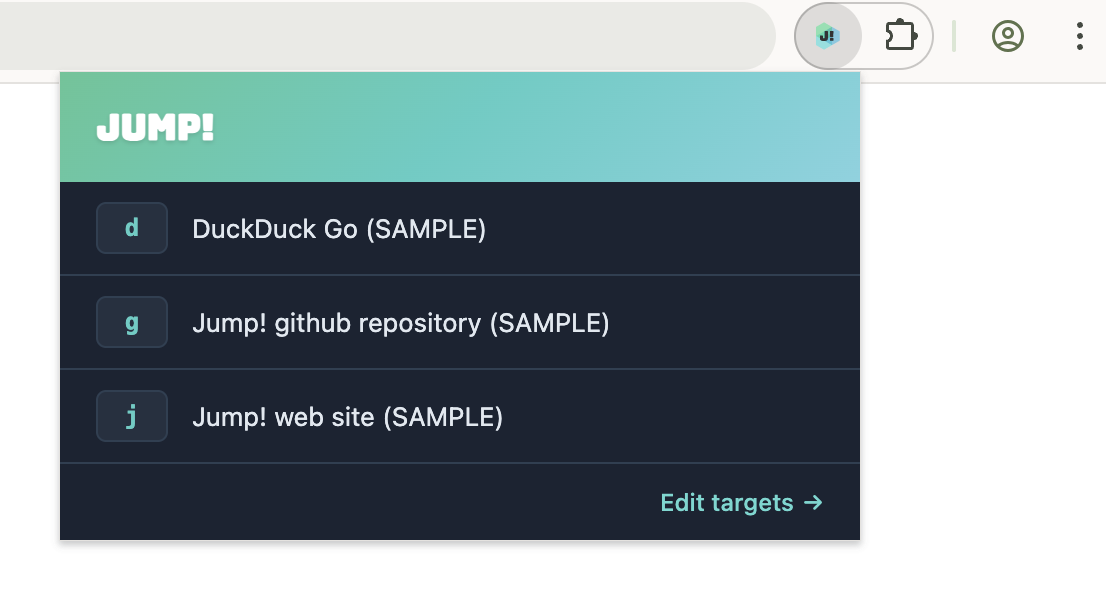
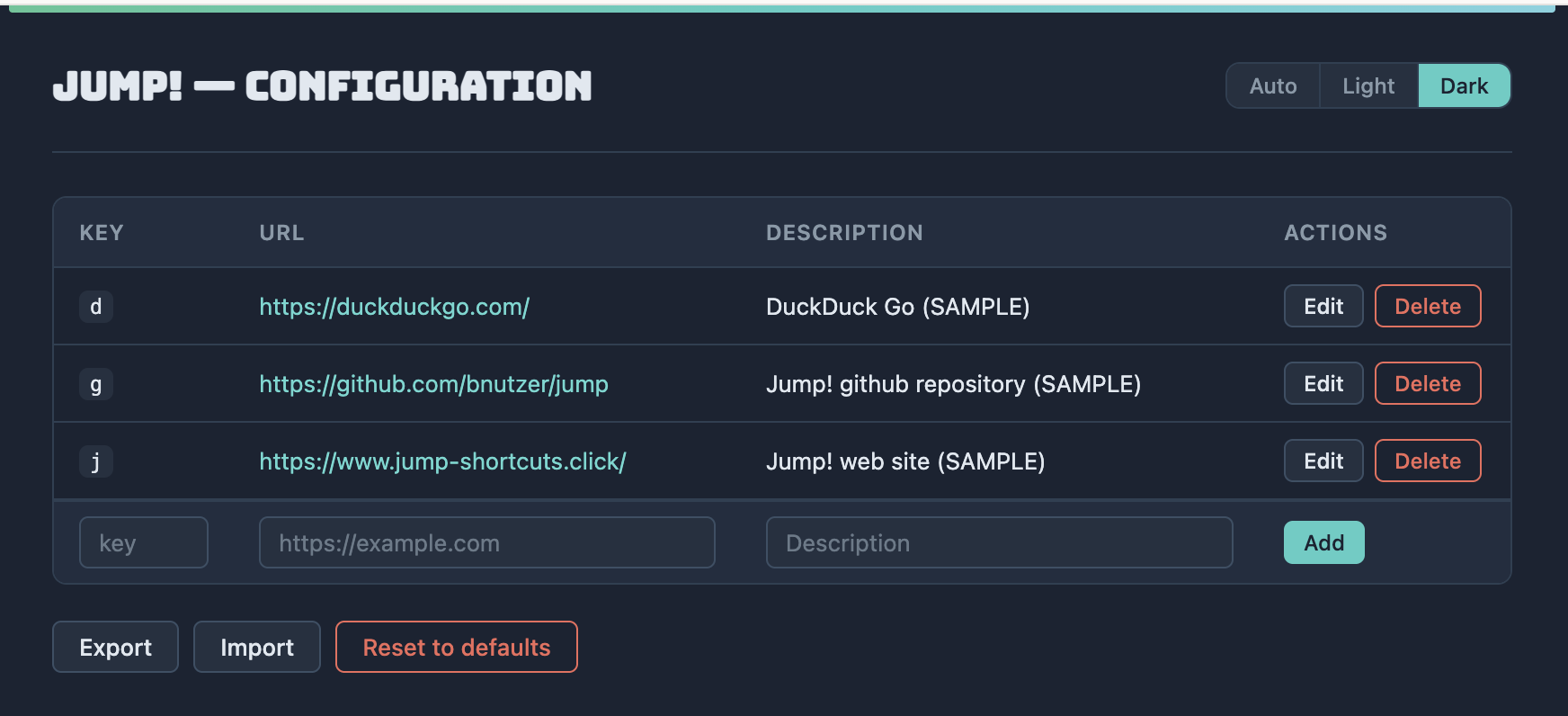
URL shortcuts at your fingertips. Navigate to your favorite sites instantly — from the address bar or with a single click.
Get Jump! for ChromeEverything you need for lightning-fast URL navigation, nothing you don't.
Type j followed by a space and a shortcut key to jump straight to any URL. For example, j g takes you to GitHub.
Click the extension icon to see all your shortcuts as a clickable list. One click and you're there — no typing required.
Add, edit, delete, import, and export your shortcuts. Your targets sync across devices via Chrome's built-in sync.
A clean, focused interface that stays out of your way.
Three steps to faster browsing.
Click the address bar or press Ctrl+L / Cmd+L, then type j and press Space.
Enter a shortcut key like g for GitHub or y for YouTube.
Press Enter and you're there. No bookmarks to dig through, no URLs to remember.